Hi, this is the Chief Miser asking if you downloaded the application yet.
If not, why not do it now by clicking on the link below on your Blackberry:
http://berry.mobilemiser.com/ca for Canada users;
http://berry.mobilemiser.com/us for US users.
It really does take only a few seconds and you will see BerryMiser Icon on your desktop!
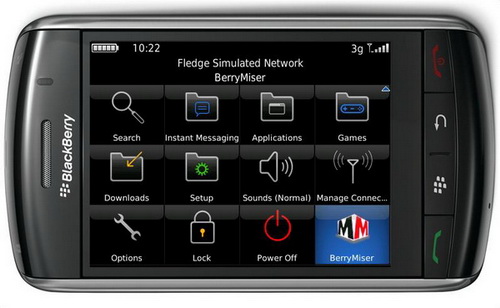
Once successfully downloaded here is how to make a call:
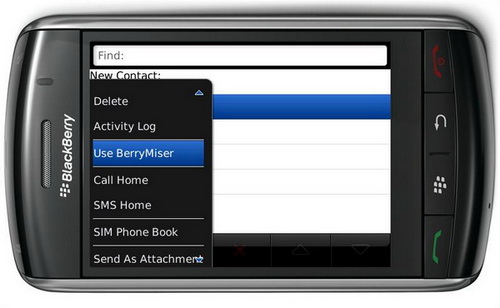
Go to Address Book, select the contact you want to call then PRESS THE MENU BUTTON (you should see "Use BerryMiser" on the menu). Choose "Use BerryMiser" to make your call.
Use BerryMiser from Address Book:
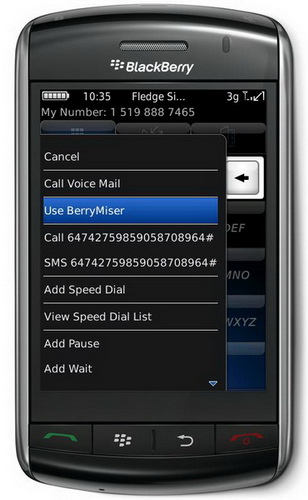
Use BerryMiser from Call Log:
It's that easy!
Here is what happens when you make a call:
Your Blackberry calls a local number (one of our Switch Locations) which connects you
directly to the person you wish to speak to whether local, long distance or International.
That's why you hear a few touch tones when you choose "Use BerryMiser".
BerryMiser for the BlackBerry works seamlessly with your BB Contacts SAVING you 60 - 80% on long distance charges.
For your FREE TRIAL go to www.mobilemiser.com