Bellow are the steps you need to follow if you want to install the BerryMiser application on your BlackBerry and you don’t have a data plan (no browsing capabilities) on it:
1 We will send you the BerryMiser kit as attachment to an e-mail; download the kit and extract the files using “unZIP” or “unRAR”;
2. You will need to have the BlackBerry Desktop Manager Application installed on your computer (if you don’t have it, download it by clicking on www.blackberry.com);
3. Using a data cable connect your BlackBerry to your computer;
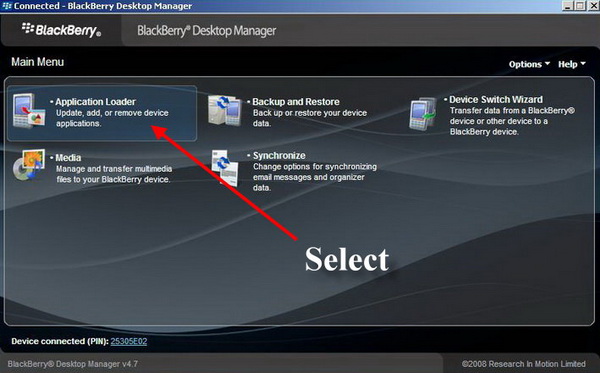
4. Run BlackBerry Desktop Manager application;
5. Select Application Loader;
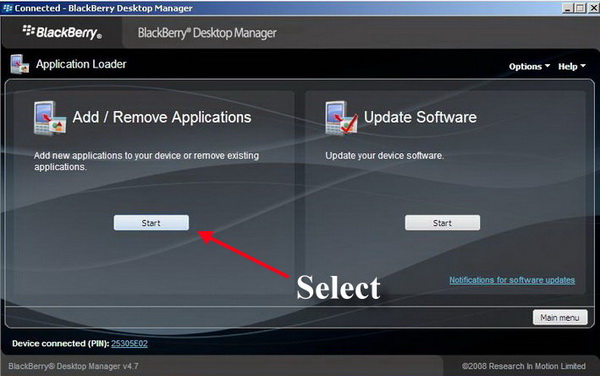
6. On the Add/Remove Panel select Start then Browse;

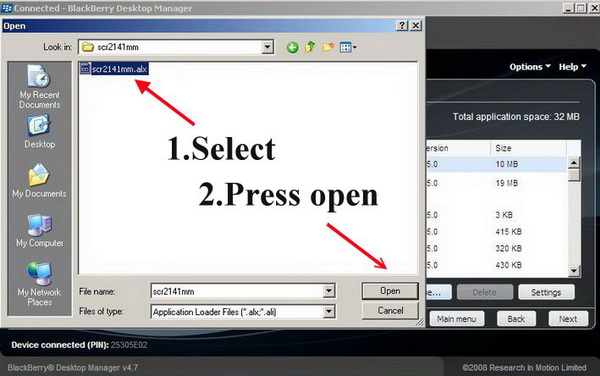
7. Search for the unzipped .alx file (see step 1). Press Select, then Open;
8. Press Next;
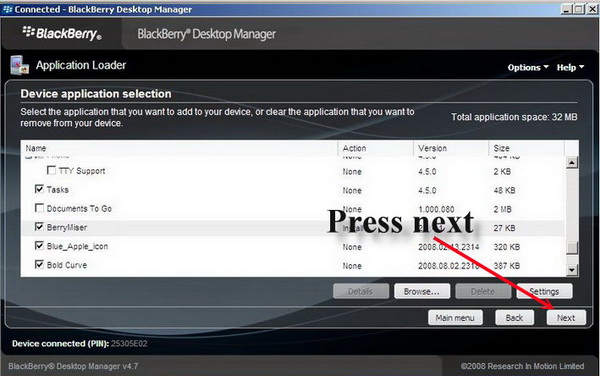
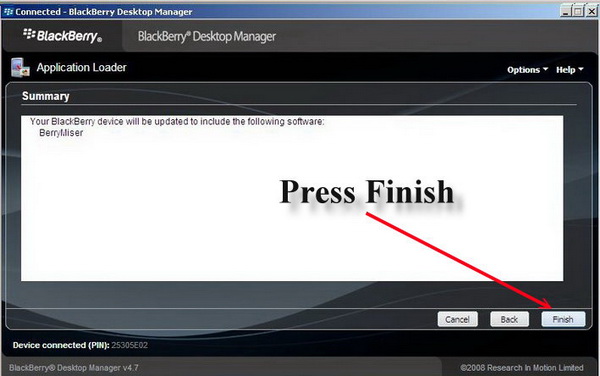
9. You will get a message saying “Your BlackBerry device will be updated to include the following software: BerryMiser ”; Press Finish
A reboot might be required for the application to finish installing. Confirm your Switch Location accordingly to your local area, when the application asks for it.
After all the steps are completed, you will see BerryMiser Icon on your BlackBerry screen ( for BB Curve users it can be found in the applications and for BB Bold users it can be found in the downloads folder ).
In order to make a call follow these steps:
1. Go to Address Book or your Call Log;
2. Select the contact you wish to call;
3. PRESS THE MENU BUTTON (you should see "Use BerryMiser" on the menu);
4. Choose "Use BerryMiser" to make your call by pressing the track ball.
It's that easy!